
MR 9.01 update
 Released June 7, 2026 the MR 9.01 update features a revamped sign-in experience, the ability to select different custom templates for automatic emails, and more.
Highlights
New log-in experience
Redesigned UI: The first thing you will notice with this update is the sign-in screen has been redesigned with the log-in fields in a more comfortable, central location.
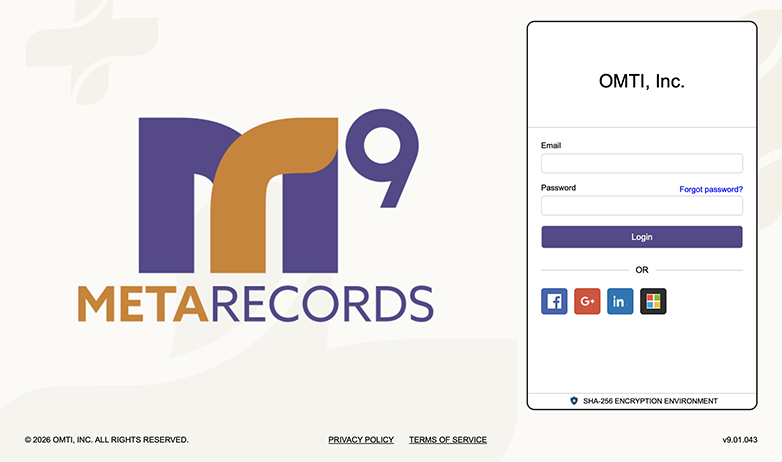
Re-designed Login page
One place to log in: If you have MR Connect, we have streamlined the sign-in process even more with a single log-in page for all users. With this update — whether you are an MR9 user, attorney, or other authorized user, you can sign in through the new MR9 Portal page. No need to remember URL subpaths like “/office” or “/contact” anymore. Simply type in your main MR9 URL and click a button to select which application to use.
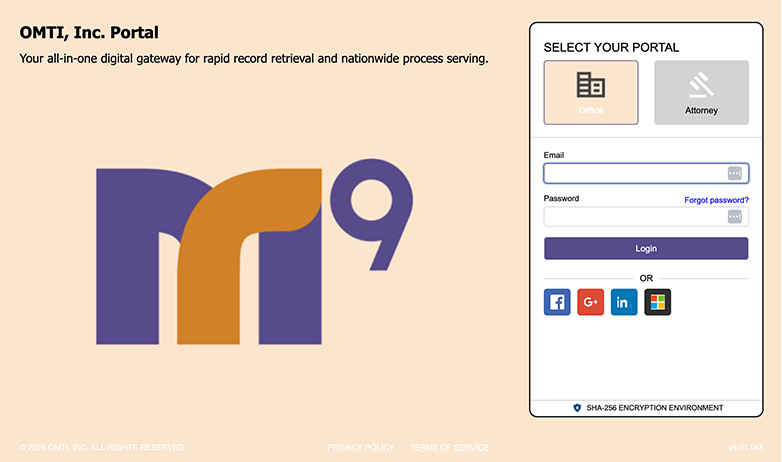
New Portal page
With the new options for signing in:
- If users have the log-in page bookmarked — or you don’t have MR Connect — they can sign in like they always have on the re-designed Login page.
- If you have MR Connect, users type in your URL without subpaths to sign in on the new Portal page. New users, clients, resources, and other parties will appreciate the simpiler URL. And you can label the buttons for your MR Connect users with whatever term you’d like such as “Attorney” or “Reporter” to help direct them to the correct application.
Easier to use 2FA during login: The new two-factor verification screen has a single verification code field instead of separate boxes for each number in the code so you can copy and paste the code from the verification email instead of typing in numbers manually.
Connect Preferences update: To set preferences for the 2 new log-in screens, the existing Branding node has been changed to the Branding-Connect node, and a Branding-Portal node has been added.
Multiple templates for emails and text messages
We have added email templates to MR9. They work a lot like other template functions in MR9, such as form templates and label templates. You can create as many email templates as you like for different purposes and select a default template to use for most occasions. When sending an email, you can use the default as is, edit the contents for that single use, or select a different template.
In this update you can create email templates for some functions, then select which template to use when sending emails from:
-
- Notify Runners
- Send Invoices
- Send Statements
- Repository
- Send Invitations
Filter notes logs by MR9 user, type of note, or communication category
Previously you could only filter notes log by Notes Type. Now you can filter notes logs by who made the notes (Entered By), Notes Type, and how the notes were left (Communication Type). Show Cancelled Notes has also been moved to the Filters panel from the Notes Log options dropdown.
Name or a/k/a improvements
An A/k/a field has been added to Contact listings so you can include contacts’ nicknames or other aliases.
The Name or a/k/a filter has been separated into two filters due to potential performance issues: Name and Name or a/k/a. With these new filters, the default search filter has changed to Name in searches for:
- Firms
- Contacts
- Locations
Firm shipping address options
You can now include a separate shipping address in individual firm listings in MR9. A new Addresses section has been added to firm listings where you can save a shipping address for FedEx/UPS shipmentsand the Envelopes and Labels function. (We also moved the billing address for invoices and statements to this section.)
When generating FedEx/UPS labels, if:
- The Ship To firm has a separate shipping address, MR9 generates the label for that address unless you override it.
- The Ship To address is a P.O. Box, the message “If the Ship To address is a P.O. Box, delivery may not be possible. Do you still want to proceed?” appears, and the user is asked once more whether to generate the label.
Envelopes and Labels: Added the new firm listings’ Shipping Address to Send To options if For is set to All Sold To Order No, Contact, Firm, or Order Parties.
Update transactions in Receivable Transaction Inquiry
Transactions are now editable in Receivable Transaction Inquiry. If you find an error in a posted transaction, you can update its Check No., Check Date, and Made By entries.
Important: Select which security group(s) in Users and Groups can edit/update these posted transactions.
More MR9 improvements
-
-
- Receive Payments: Business Unit column added to Applied Invoice(s) grid in individual payments.
- Daily Balance Log: To prevent the End Balance from changing, only posted payments and other transactions are included.
- Form Templates: Added Part.Location.Email merge field to all datasets containing Part data.
- Forms: Updated the library to a model suitable for a distributed environment like MR9.
- Users and Groups: An Active column has been added to Members grid in individual Message/Security Group detail screens.
- System Preferences: Added TotalBalance data field to Email Message templates in Statement preferences.
-
MR Connect improvements
-
-
- Top 10 lists on contacts’ dashboards are limited to data within 6 months. Previously, finding the top 10 occasionally caused timeout issues, so the data retrieval period for Top 10 Recent Orders and Top 10 Recent Received Records has been reduced to within 6 months. The Outstanding Payables list is not time limited.
- Contacts – Account Activity: Surcharges no longer appear on Invoice detail screens.
-
Listed under MR Connect, MR update, MR9